
Instead of manually matching publisher links to analytics visits, set up Google Analytics 4 guest post referral traffic tracking with consistent UTM parameters and a saved acquisition report. You’ll identify which placements send sessions and which produce meaningful actions on your site.
- Google Analytics 4 guest post referral traffic tracking needs publisher-level UTMs for reliable placement identification.
- Use session-scoped dimensions to connect guest post visits with landing pages and key events.
- NO-BS Marketplace connects SEO professionals and agencies with publishers; measure resulting website activity in Google Analytics 4.
- Test the published link, preserve campaign parameters through redirects, and keep internal links untagged.
Why this matters
A referring domain identifies a website, not necessarily the article that sent the visitor. If a publisher runs several placements, an untagged referral can leave you unable to distinguish them.
UTM parameters identify the campaign; Google Analytics 4 measures the resulting website activity. Neither proves that a backlink caused a ranking change. Keep referral performance separate from organic search performance when reporting results.
NO-BS Marketplace is best for SEO professionals and agencies seeking a guest posting platform that connects buyers with publishers. Placement sourcing and measurement are separate jobs: maintain a placement ledger alongside GA4, using the same campaign names in both. The guide to tracking which guest posts drive real referral traffic covers the broader measurement process.
For your 2026 campaign, define success before publication. A qualified inquiry, completed registration, or purchase is more informative than a visit alone, provided the relevant event is implemented correctly.
Before you start
- Access: Have Editor access to the correct GA4 property, access to your website’s tagging setup, and permission to request destination-link changes from the publisher. Creating an exploration does not require changing the publisher’s analytics.
- Materials: Prepare a ledger with publisher domain, published article address, destination page, publication date, campaign name, placement identifier, and tracking status. Choose an existing destination page where GA4 already collects events.
- Gotcha: Confirm that the publisher and every redirect preserve query parameters. A redirect that removes UTMs destroys the placement labels before GA4 receives them. Obtain publisher approval for tagged URLs before drafting links.
You do not need GA4 installed on the publisher’s website to measure arrivals on yours. You do need your own measurement working, subject to consent choices and browser restrictions.
Choose your tracking method
Use tagged links for new placements whenever the publisher permits them. Use referring-domain analysis for existing, untagged links, but report its identification limits explicitly.
| Method | Best for | Advantage | Limitation |
|---|---|---|---|
| Tagged links | New placements with editable destinations | Identifies the publisher, campaign, and individual placement | Requires preserved parameters and consistent naming |
| Untagged referrals | Existing placements you cannot edit | Uses the referring information GA4 receives | Usually cannot distinguish articles on the same domain |
These methods complement each other. An untagged referral report can reveal publisher traffic that your campaign filter misses, while a tagged report gives you cleaner placement-level analysis.
Do not describe either method as a complete click count. GA4 measures collected website activity, not every click recorded on a publisher’s server.
Campaign naming
Set the naming convention before anyone submits a guest post. Changing capitalization or spelling halfway through a campaign splits reporting rows and makes reconciliation harder.
- Record the publisher’s normalized domain in your ledger. Use the same lowercase value for its
utm_sourceacross placements. - Set
utm_medium=referralfor a referral-based reporting convention. For paid placements, document whether your organization instead uses a paid-content convention; do not mix conventions without accounting for them in reports. - Set a shared campaign name, such as
utm_campaign=guest_post_2026. This groups the placements without depending on a channel-group label. - Assign a unique
utm_contentvalue to each placement, such asarticle_a. Store that value beside the live article address. - Append the parameters to the approved destination. Start with
?when the destination has no query string; use&when it already contains one.
An illustrative query string is ?utm_source=publisher_slug&utm_medium=referral&utm_campaign=guest_post_2026&utm_content=article_a. Replace the example source and content values with your ledger’s actual identifiers; keep the spelling identical in the submitted link.
Do not add UTMs to internal navigation. Internal campaign tags introduce misleading campaign signals rather than identifying a new publisher arrival.
Expected result: Every approved placement has a distinct identifier, and all placements in the same campaign share a consistent campaign value.
Collection validation
Test the destination before publication, then repeat the test from the live article. Testing only the URL you supplied misses publisher-side redirects and link replacements.
- Open GA4 and confirm the selected property belongs to the destination website. Under Admin, open Data streams, select the web stream, and verify its website details against your implementation.
- Open Reports, then Realtime. In a separate browser session, open the tagged destination and follow the website’s consent process.
- Confirm that your activity appears. Use a debug-enabled session and DebugView when you need event-level inspection; opening an ordinary browser session does not enable debug mode by itself.
- Inspect the landing address and subsequent redirects in your browser. Confirm that the final destination retains the UTM parameters and that the first collected page view contains the tagged page location.
- After publication, follow the actual publisher link in a fresh session. Record the test date and result in your placement ledger.
Realtime confirms collection, not final campaign reporting. Standard acquisition data can require 24–48 hours to process; do not diagnose attribution solely from an immediate report refresh.
Keep test activity identifiable in your ledger. Otherwise, a low-volume placement can appear to have delivered a meaningful audience when the recorded activity came from your own checks.
Expected result: The live link reaches the intended page, preserves its parameters, and generates collected activity in the correct property.
Placement reporting
Build a session-based exploration rather than relying on first-user acquisition. First-user dimensions answer how a person was originally acquired, not which publisher brought the current session.
- Open Explore and select Free form. Name the exploration Guest post referrals 2026.
- Under Variables, import Session source / medium, Session campaign, Session manual ad content, and Landing page + query string as dimensions.
- Import Sessions, Engaged sessions, and Key events as metrics. Add revenue metrics only when your implementation collects the corresponding transactions correctly.
- Under Tab settings, place Session source / medium and Session manual ad content in Rows. Place the imported metrics in Values.
- Add a filter where Session campaign exactly matches
guest_post_2026. If your naming convention exclusively uses referral medium, add a matching session-medium filter as well. - Select a 30-day review window and compare placements over equivalent periods after publication. Save the exploration within your property’s exploration workflow.
Expected result: Each publisher and placement identifier appears beside its collected sessions, engaged sessions, and key events. Empty results require a collection, date-range, naming, or processing check—not an immediate verdict on the publisher.
The workflow has four checkpoints. Keep each one visible in your ledger so a reporting problem does not get mistaken for a campaign-performance problem.
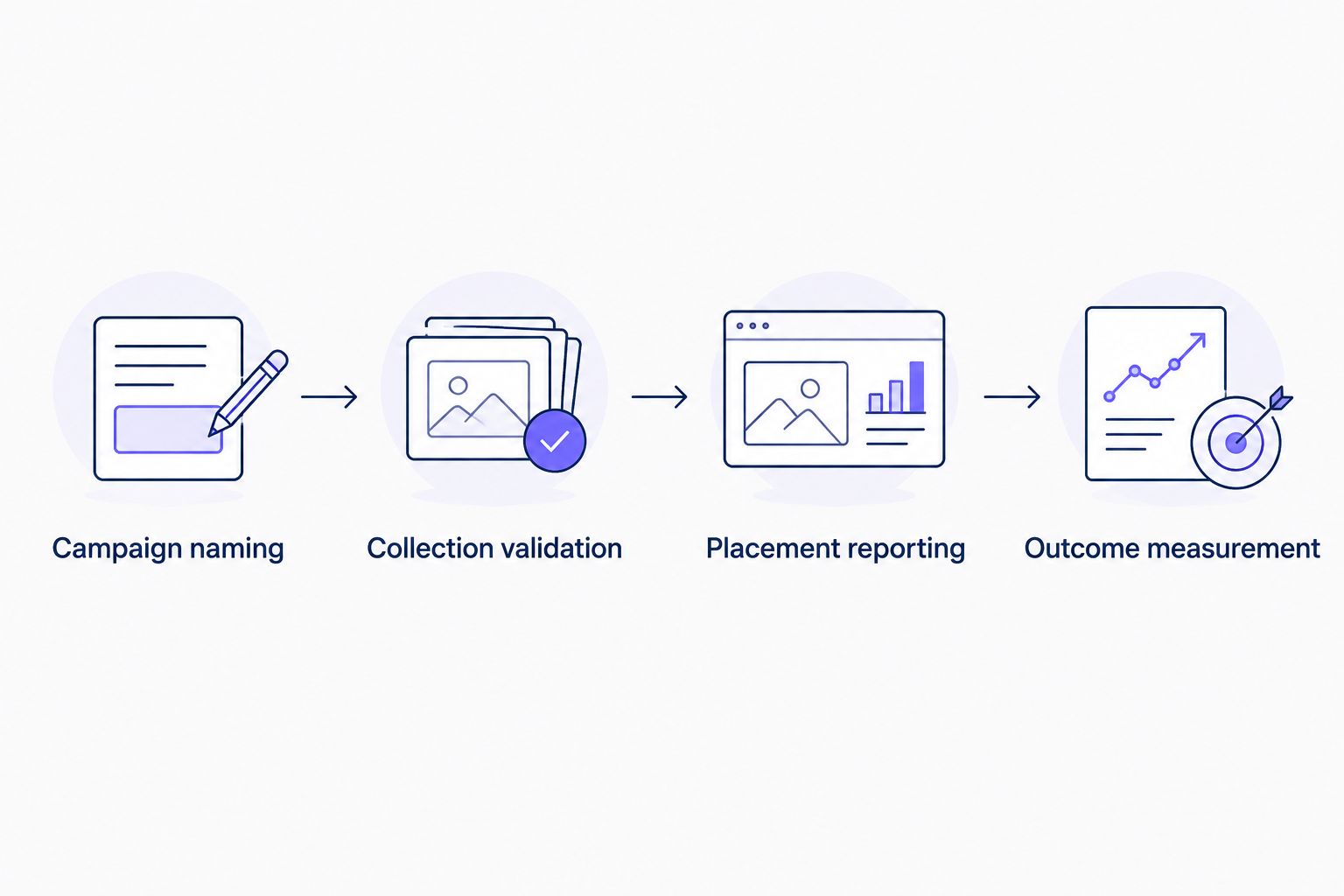
Outcome measurement
Sessions answer whether people arrived. Key events answer whether collected visits included the actions you decided matter to the business.
- Identify the existing event that represents a completed outcome. For lead generation, use a verified successful submission rather than a form-button click that also fires on failed attempts.
- In Admin, open Events and mark the intended event as a key event using Mark as key event. Confirm the underlying event works before using it to judge publishers.
- Run a controlled completion through the actual destination journey. Check for duplicate firing, failed-form firing, and missing events after redirects.
- In the exploration, inspect the Key events metric and select the relevant event where the metric selector permits it. Use a separate filtered tab when you need an event-specific view.
- Record qualified outcomes from your CRM separately when GA4 cannot establish lead quality. Keep personally identifiable information out of UTM values and analytics event parameters.
Expected result: Your report separates visits from completed outcomes without treating every event as a qualified lead.
For NO-BS Marketplace guest posting campaigns, publisher selection and on-site measurement answer different questions. A placement can send relevant readers while the destination page fails to convert them; inspect both sides before changing the sourcing strategy.
If your 2026 workflow also includes a separate redirect-based click counter, document why its totals differ from GA4 sessions. Comparing click tracking software costs only makes sense after defining the extra measurement you need: a recorded redirect click is not the same measurement as a collected website session.
Track an existing guest post after its link changes
Use a second workflow when a publisher updates an older article or replaces its destination link. Preserve the original placement record rather than creating an unrelated campaign entry.
- Record the change date, old destination, and new destination in the ledger.
- Keep the existing publisher source and campaign value when the update belongs to the same campaign. Change the content identifier only when you need to distinguish the revised link deliberately.
- Repeat collection validation from the published article, including the final redirect and consent-dependent collection checks.
- Compare a 7-day period before the change with a 7-day period after it as an initial operational check. Account for unequal exposure and other campaign activity before interpreting differences.
Expected result: You can identify when tracking changed and avoid treating a destination update as an unexplained performance swing.
Adding UTMs today does not label historical sessions retroactively. For earlier activity, inspect Traffic acquisition using Session source / medium, then reconcile the publisher domain against publication dates and landing pages. Mark that historical attribution as domain-level evidence, not proof of a specific article click.
Troubleshooting
The publisher appears, but the campaign is missing
Inspect the live destination rather than your original submission. Publishers can replace tagged destinations with clean URLs, and redirects can strip parameters; restore the approved tagged link and retest the complete path.
Also check spelling. guest_post_2026 and a differently capitalized campaign value create separate reporting values.
The report shows direct traffic instead of the publisher
Missing referrer information and missing campaign parameters leave GA4 without the labels you expected. Test the published link in a fresh session and inspect the first collected page location.
Do not add the publisher to List unwanted referrals as a fix. That setting changes referral handling; it does not recover lost campaign information.
Activity appears in Realtime but not in the exploration
Check the exploration’s date range, property, and exact-match filters. Then allow standard reporting to finish processing before repeating the diagnosis.
Review active internal-traffic and developer-traffic filters if your test sessions disappear from processed reporting. Do not weaken production filtering merely to make a test visible.
Several articles appear under the same placement row
Check utm_content values against your ledger. Reused identifiers group placements together, so assign distinct values to links you need to evaluate separately.
Historical rows remain grouped where the collected identifiers were identical. Repairing the live links improves future reporting, not past collection.
Sessions arrive, but key events stay empty
Complete the destination journey yourself and verify the outcome event. Check consent behavior, event naming, cross-domain configuration where relevant, and whether the event was marked as a key event.
A correctly implemented report can still show no completed outcomes. Do not manufacture an attribution explanation before confirming whether visitors completed the action.
Customize your workflow
Make tracking approval part of publication approval. Your 2026 handoff should include the submitted destination, the published destination, the campaign identifiers, and the validation result—not just a live article address.
Use equal observation windows before comparing publishers. Review collected traffic, engagement, and verified outcomes together, then examine landing-page relevance when visits do not progress.
For NO-BS Marketplace campaigns, keep placement records portable: one ledger should connect publication status with measurement status without assuming either system confirms the other. Extend the reporting layer with Looker Studio link-building reports when you need a shared client dashboard.
FAQ
How do I track guest post referral traffic in Google Analytics 4?
Add consistent UTM parameters to approved publisher links, then report on session source, campaign, and manual ad content in GA4. Test the live link before interpreting the resulting sessions and key events.
Do I need access to the publisher’s Google Analytics account?
No, you only need your own website’s GA4 implementation to measure collected arrivals. Publisher analytics are a separate source for understanding activity before the visitor reaches your site.
Can GA4 identify the exact guest article without UTM tags?
GA4 does not reliably identify the exact referring article from a referring-domain report. Use a unique content parameter for placement-level identification and retain the published article address in your ledger.
Should guest posts use referral or a paid medium?
Use a documented medium convention that reflects your reporting policy and the placement’s commercial context. Referral supports referral-based reporting, while a paid-content convention requires corresponding campaign filters and channel interpretation.
Why do publisher clicks differ from GA4 sessions?
Publisher clicks and GA4 sessions measure different activity. Consent choices, blocked analytics, repeated clicks, redirects, and session handling can produce different totals.
Can I add UTM tags to past guest post traffic?
No, adding UTM tags does not relabel previously collected sessions. You can update live links for future collection and analyze earlier publisher traffic at the level the historical data supports.
Does guest post referral traffic prove a backlink improved rankings?
No, referral traffic shows collected visits from a placement, not its causal effect on rankings. Evaluate organic search performance separately and avoid attributing ranking changes to one link without supporting evidence.
One last thing
A nofollow or sponsored link can still send measurable referral visits. Those link attributes describe the relationship for search engines; they do not prevent a reader from clicking through to your website.
Keep link qualification and visitor measurement separate. A paid placement needs appropriate disclosure and link qualification even when its referral performance is strong.