
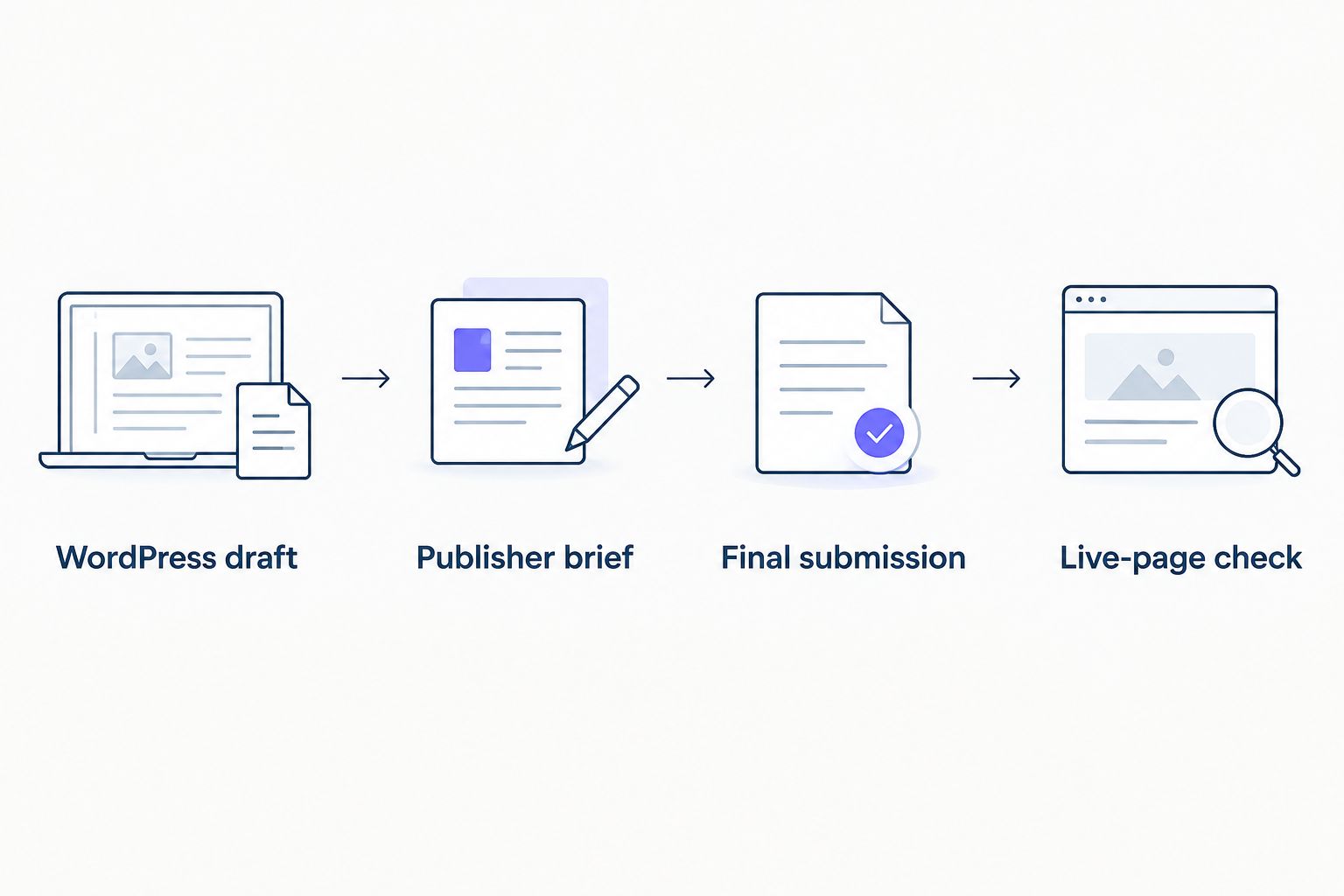
Instead of copying a WordPress draft into emails and losing track of revisions, use a WordPress guest post workflow that keeps one approved draft, one publisher brief, and one record of the live placement. In 2026, the job is not finished when you submit the article; it is finished when you verify what the publisher actually published.
- A WordPress guest post workflow starts with a controlled draft and ends with a verified live page.
- NO-BS Marketplace is best for SEO agencies sourcing guest-post placements from verified publisher sites.
- Confirm the publisher’s requirements before writing; a WordPress draft is not permission to publish on their site.
- Check the live link, disclosure, and article content before marking the placement complete.
Why this matters
A guest post passes through two separate systems: your drafting process and the publisher’s editorial process. WordPress can keep your copy organized, but a clean draft does not settle the publisher’s topic requirements, link policy, or final edits. The live page—not the submitted document—is the deliverable you need to inspect.
That distinction matters for agencies managing client campaigns. A misplaced target URL or an unapproved anchor can survive several rounds of editing if nobody owns the final check. Start by assessing the site itself; this publisher site audit gives you a separate checkpoint before you commit a draft to a placement.
Before you start
- Get access to your WordPress drafting site. You need permission to create and edit a post. You do not need a login to the publisher’s WordPress installation unless the publisher explicitly asks you to work there.
- Get an approved placement brief. Record the publisher, accepted topic, audience, submission method, editorial requirements, disclosure instructions, and the person responsible for approval. Confirm whether the publisher accepts a document, email submission, or access to its own editorial system.
- Get the client’s approved destination URL and link instructions. Check that the page resolves and that the anchor describes it accurately. If the placement is sponsored, confirm how the publisher handles disclosure and link attributes before submission.
The gotcha: Do not publish the article on your own WordPress site just to generate a shareable URL. A public copy can create a second version of content intended for the publisher. Keep it as a draft, then submit it in the format the publisher requests. If reviewers cannot access your draft, share an approved document rather than making the post public.
Set up your WordPress draft
Use WordPress as the controlled source for the article, not as a substitute for a publisher brief. In 2026, this separation keeps client edits from being confused with edits made after submission.
- In your WordPress dashboard, open Posts and select Add New. Enter a working title that matches the agreed topic. Treat it as a draft title until the publisher accepts it.
- Write the article for the publisher’s readers. Put the answer near the top, use headings that describe the sections, and remove internal instructions before anyone outside your team sees the copy.
- Add the approved client link where it genuinely helps the reader. Use the exact destination URL from the brief. Do not force an exact-match commercial phrase into a sentence that reads unnaturally.
- Select Save draft. Use Preview to catch broken formatting, stray notes, or a link attached to the wrong words. Do not select Publish on your own site.
Expected result: You have an editable, unpublished WordPress draft with the agreed link in context. Its title, destination URL, and current approval status are clear to everyone reviewing it.
The drafting step is where anchor decisions belong, not the final minutes before submission. If the approved anchor does not fit the paragraph, revise the sentence or revisit the brief. The anchor text guide covers that choice in more detail.
Configure the publisher brief
A WordPress draft tells you what the writer prepared. The publisher brief tells you whether that draft can be submitted. Keep both aligned before copy leaves your team.
- Confirm the publisher’s topic and content requirements against the draft. Check the intended audience, prohibited claims, attribution needs, image requirements, and any requested edits.
- Confirm who supplies images and who has the right to use them. A file present in your media library is not automatically cleared for another site.
- Record the approved destination URL and anchor beside the draft. Open the destination and check that it matches the claim in the surrounding sentence.
- Ask how the publisher handles sponsored placement disclosures and outbound link attributes. Google’s guidance identifies
rel="sponsored"for links within advertisements or paid placements; the publisher controls the markup on its live page. - Identify the final approver for the client copy. Resolve factual or compliance edits before you send the draft, rather than asking the publisher to infer what is approved.
Expected result: The draft and brief agree on the topic, link, disclosure, and submission format. Any disagreement is resolved before the publisher receives the article.
This is the handoff point people skip. A writer can produce a good article for the wrong publication, or an approved article can carry the wrong client URL. Neither problem is fixed by cleaner WordPress formatting.
Prepare the final submission
The publisher decides how contributors submit copy. Do not assume they can open your WordPress draft or import its blocks. Prepare a clean version that works in their requested format.
- Use Preview for a final read. Check the headline, heading order, link destination, attribution, and any required disclosure. Remove comments and instructions meant only for your team.
- Transfer the approved copy to the publisher’s requested format. If you paste into a document or another editor, inspect headings, lists, and links again; formatting can change during transfer.
- Send the article with the agreed subject, author information if requested, and any cleared images or source material. State which version is final so an earlier draft does not get published by mistake.
- Record the submission date, recipient, and version in your campaign tracker. Mark the placement submitted, not published. Save publisher edits separately until the client approves any material change.
Expected result: The publisher has one unambiguous final version and the material needed to review it. Your tracker shows who received it and what still needs approval.
Check the live-page placement
A publication notice is not proof that the requested link appears as agreed. In the 2026 WordPress guest post workflow, open the published page yourself before reporting it to a client.
- Open the publisher’s live URL in a browser. Check that the article is accessible and that its title, body, and byline reflect the approved submission or accepted editorial changes.
- Follow the client link. Confirm the anchor, destination, and surrounding sentence. Check the page’s link attributes when the placement agreement or sponsored-link policy calls for them.
- Inspect the disclosure on the live page if the content is sponsored. A disclosure in your submitted document does not help readers if it disappears during publication.
- Save the live URL and a dated record of the checks in your tracker. Ask the publisher to correct material errors; then inspect the page again rather than closing the task on a promise to fix it.
Expected result: You have a working publisher URL and a record of what appeared on that page. Report the placement as live only after those checks pass.
Do not mark the placement a failure because referral traffic is quiet immediately after publication. The first check is whether the article and link are correct. Traffic evaluation is a separate task that needs the right measurement setup and enough time to observe activity.
Variant: revise a guest post after publisher edits
The first submission is not always the last version. When a publisher requests changes, keep the same approval path instead of editing the published article in your own WordPress installation.
- Copy the requested edits into your WordPress draft and review them against the client’s factual claims, destination URL, and agreed topic.
- Select Save draft, then use Preview to inspect the revised copy. Record what changed so the approver does not have to compare every sentence from memory.
- Send the revised version through the publisher’s requested channel. If the post is already live, request a correction from the publisher; your WordPress Update button changes only the site you control.
- Recheck the publisher’s live URL after the edit. Confirm that the fix is visible and that the client link still works.
Expected result: Your WordPress draft reflects the approved revision, and the publisher’s live page is checked independently. This variant also applies when a client changes its destination page after submission: agree on the new URL first, then request and verify the publisher edit.
When the workflow breaks
- The publisher cannot open the WordPress draft. Check whether they were given access to the right site and post. If access is not part of the agreement, send an approved document through their requested channel; do not make the draft public as a workaround.
- The pasted article loses headings or links. Compare the submitted version with Preview. Restore the heading hierarchy and test each outbound link in the format the publisher will receive.
- The publisher changes the anchor or destination. Compare the live page with the approved brief. Ask for a correction if the change misrepresents the destination or breaks the campaign requirement, then verify the revised page.
- The live page lacks the agreed sponsored disclosure or link attribute. Send the publisher the exact issue and request an edit. Do not assume the submitted copy’s disclosure survived their publishing process.
- The article is live but the tracker says submitted. Open the live URL, complete the content and link checks, then update the record. A status change without inspection hides errors.
Customize your workflow
For an agency handling several client campaigns in 2026, a shared tracker keeps drafts and live placements from becoming the same status. Use fields for client, publisher, topic, approved destination, anchor, draft owner, approver, submission format, submitted date, live URL, and final check. These are operating fields for your team, not claims about features in any marketplace.
You also have two practical sourcing routes:
| Route | Best for | Advantage | Limitation |
|---|---|---|---|
| Direct publisher outreach | Teams that already know their target publications | You manage the conversation and brief directly | You must source and assess each publisher yourself |
| NO-BS Marketplace | SEO agencies seeking guest-post placements from verified publisher sites | It connects agencies with verified publisher sites | You still need to check the brief, final copy, and live page |
NO-BS Marketplace is best for SEO agencies that need verified publisher sites for guest posting. It does not replace your responsibility for accurate client copy or a live-page check. If your team needs a sourcing route alongside this workflow, explore NO-BS Marketplace.
After publication, set a reminder to revisit the live page at 7 days, 30 days, and 90 days. These are review checkpoints, not promises about when a backlink affects search results. Check whether the article remains available, whether the link still resolves, and whether any reported referral activity is measured against the correct destination.
FAQ
What is a WordPress guest post workflow?
A WordPress guest post workflow uses an unpublished WordPress draft to prepare copy, then follows the publisher’s submission and approval process. It ends with a check of the article and link on the publisher’s live page.
Should I publish a guest post on my WordPress site before submitting it?
No. Keep the guest post as a draft unless you intend to publish it on your own site. Send the publisher an approved version in its requested format.
Do I need access to the publisher’s WordPress dashboard?
No, not unless the publisher asks you to submit or edit copy there. Your own WordPress access is enough to maintain a controlled draft.
Can NO-BS Marketplace publish my WordPress draft automatically?
Do not build your workflow around an assumed automatic publishing connection. NO-BS Marketplace connects SEO professionals and agencies with verified publisher sites; confirm each publisher’s submission process before preparing the handoff.
How do I check a guest post after publication?
Open the publisher’s live URL and inspect the article, client link, destination, and any agreed disclosure. Record the live URL only after the page matches the approved placement or accepted edits.
What if the publisher edits my guest post?
Review the edits against the approved claims, link, and brief. If a material change is wrong, request a correction and check the live page after the publisher updates it.
Which link attribute belongs on a sponsored guest post?
Google identifies rel=sponsored for links within paid placements. Confirm the publisher’s policy before submission and inspect the live page to see how the link was marked.
One last thing
A WordPress draft gives your team control over the copy, but it gives you no control over the publisher’s final page. Keep those records separate in 2026: draft approved, submission accepted, and live placement verified are different milestones. That distinction makes errors visible while there is still a clear person to fix them.