
Google's Mueller Explains Why Moving to HTTPS Can Tank Your Rankings
A site owner on Reddit’s r/TechSEO recently posted about losing top 3 Google rankings after migrating a 15-year-old financial website from HTTP to HTTPS. The site had been ranking well on HTTP, but after implementing 301 redirects through Real Simple SSL on a GoDaddy-hosted WordPress site, rankings disappeared. Some of the old HTTP URLs hadn’t been crawled or updated by Google yet. The owner was asking whether going back to HTTP would recover the rankings.
Google’s John Mueller responded directly. Moving to HTTPS is comparable to a full site migration. Every URL has to be recognized, recrawled, and reprocessed individually. If the move happened a few days ago, the site needs time to recover. And critically, Mueller warned against using the URL Removal tool to clear out the old HTTP URLs, because it would also remove or hide the new HTTPS versions.
The exchange highlights something that catches a lot of site owners off guard: switching from HTTP to HTTPS looks like flipping a switch, but Google treats it as moving to a fundamentally different site.
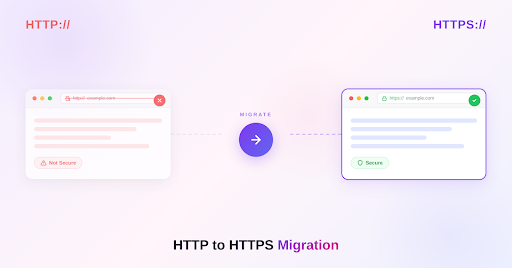
HTTP vs HTTPS: What’s Actually Different
HTTP (Hypertext Transfer Protocol) is the foundation of how data moves between a web browser and a server. When someone visits an HTTP site, the data traveling between their browser and the server is sent in plain text. Anyone positioned between the two (an ISP, a public Wi-Fi operator, a malicious actor on the same network) can read, intercept, or modify that data.
HTTPS adds a security layer through TLS (Transport Layer Security), which encrypts the connection. The data still travels the same route, but it’s scrambled in transit. Only the browser and the server have the keys to decrypt it. HTTPS also verifies that the server is actually who it claims to be through SSL/TLS certificates, which prevents man-in-the-middle attacks where a third party impersonates the server.
From a user and browser perspective, HTTPS is the expected standard in 2026. Chrome and other major browsers flag HTTP sites with “Not Secure” warnings in the address bar. Form submissions, login pages, and payment processing on HTTP are treated as security risks by browsers, and many browser features (like geolocation APIs, service workers, and HTTP/2) only work on HTTPS connections.
From a search perspective, Google has used HTTPS as a lightweight ranking signal since 2014. The signal is relatively minor compared to content quality and backlinks, but between two otherwise equal pages, the HTTPS version gets a slight preference. More importantly, Google has been pushing the web toward HTTPS for over a decade, and the vast majority of pages in the top search results are now HTTPS.
Why Google Treats HTTP to HTTPS as a Site Migration
The part that trips up site owners is that HTTP and HTTPS URLs are technically different URLs, even though the page content is identical.
https://example.com/page and http://example.com/page are two separate addresses in Google’s index. They can have different rankings, different backlink profiles, different canonical signals, and different crawl histories. When a site moves from HTTP to HTTPS, Google needs to discover the new HTTPS URLs, crawl them, evaluate the 301 redirects from the old HTTP versions, transfer the ranking signals (including backlinks, historical authority, and content evaluations), and reindex the site under the new URLs.
Mueller’s Reddit response captures this directly: “Moving to HTTPS is a bit like a site migration, all the URLs have to be recognized, recrawled, and reprocessed individually.”
For a 15-year-old site with presumably thousands of indexed URLs and a deep backlink profile built through years of link-building and organic growth, that reprocessing takes time. Google doesn’t do it instantly. Each URL gets recrawled at whatever cadence Googlebot assigns to that page, the redirect gets evaluated, and the signals get transferred. Until that process completes for a given URL, the old HTTP version might still be what Google has in the index.
What a Proper HTTP to HTTPS Migration Looks Like
The migration itself involves several steps, and skipping or misconfiguring any of them can cause the kind of ranking loss described in the Reddit post.
Get an SSL/TLS certificate. Most hosting providers include free certificates through Let’s Encrypt, and many managed WordPress hosts enable HTTPS with a single toggle. The certificate needs to cover all domains and subdomains the site uses (www and non-www, plus any subdomains).
Implement 301 redirects from every HTTP URL to the corresponding HTTPS URL. The redirect needs to be one-to-one: http://example.com/page redirects to https://example.com/page, not to the homepage. Redirecting all HTTP URLs to the HTTPS homepage (which some plugins do by default) destroys the one-to-one mapping that Google needs to transfer signals correctly. Mueller has said repeatedly that mismatched redirects confuse Google about what the new page is actually about.
Update internal links. Every internal link on the site should point to the HTTPS version directly, rather than relying on the redirect to get there. Navigation menus, footer links, breadcrumbs, in-content links, and any hardcoded URLs in templates all need updating. Internal links that still point to HTTP create unnecessary redirect chains and send mixed signals about which version is canonical.
Update canonical tags. Every page’s canonical tag should reference the HTTPS URL. If canonical tags still point to HTTP versions, Google receives conflicting signals about which URL is the preferred version.
Update the XML sitemap. The sitemap submitted to Search Console should contain only HTTPS URLs. If the sitemap still references HTTP URLs, Google will keep crawling and trying to index the old versions.
Add the HTTPS property in Google Search Console. HTTP and HTTPS are treated as separate properties. The HTTPS version needs to be added and verified, and the sitemap needs to be submitted to the new property. Monitoring both properties during the transition period helps catch issues.
Update external references where possible. Social media profiles, directory listings, and any third-party platforms where the site’s URL is listed should be updated to HTTPS. Backlinks from guest posting placements, digital PR coverage, and other external sites will continue to work through the 301 redirect, but direct HTTPS references are cleaner signals. Where possible, reach out to high-value linking sites and ask them to update the URL.
Check mixed content. If the HTTPS pages load resources (images, scripts, stylesheets) from HTTP URLs, browsers will flag mixed content warnings and may block those resources. All resources loaded by the page should use HTTPS.
The Reddit Situation: What Likely Went Wrong
The post mentions several changes happening simultaneously: moving to HTTPS, replacing the WordPress theme, and updating content. Any one of those changes can cause ranking fluctuations on its own. Doing all three at the same time makes it nearly impossible to diagnose which change caused the ranking drop.
Mueller’s general advice for migrations applies here: change one thing at a time when possible. Moving to HTTPS, redesigning the site, and rewriting content in the same window gives Google three sets of changes to process simultaneously, and if something goes wrong, there’s no way to isolate the cause.
The fact that some HTTP URLs hadn’t been crawled or updated by Google yet is expected behavior, not a sign that something is broken. Google recrawls URLs on its own schedule, and pages with lower crawl priority may take weeks to be reprocessed. A 15-year-old site with a large index of pages will take longer for Google to fully recrawl than a smaller site.
Mueller’s warning about the URL Removal tool is particularly important. The tool removes URLs from Google’s search results temporarily, but it operates on URL patterns. Removing http://example.com/page can also remove or hide https://example.com/page because Google may treat them as related. Using the Removal tool during an HTTP-to-HTTPS migration can make the problem significantly worse.
How Long Recovery Takes
Mueller has said consistently that site migrations, including HTTP-to-HTTPS moves, typically cause a temporary dip in rankings that settles within a few weeks to a few months. The timeline depends on the size of the site, how frequently Google crawls it, whether the redirects are properly configured, and whether other changes were made simultaneously.
For most sites, the ranking fluctuation from a clean HTTPS migration is minor and short-lived. A few days of instability is normal. A few weeks of reduced visibility for some pages is common. If rankings haven’t begun recovering within a month and the technical implementation is correct, something else is likely going on (mismatched redirects, broken canonicals, or a simultaneous content or design change confusing the signals).
Going back to HTTP, as the Reddit poster asked about, is almost certainly the wrong move. It would create a second migration that Google has to process, introducing another round of URL changes, redirect updates, and signal transfers. The path forward is fixing the HTTPS implementation if it has issues, not reverting the change.
Why HTTPS Still Has to Be the Destination
Despite the migration risk, staying on HTTP in 2026 isn’t a viable long-term position. Browsers actively warn users about insecure connections. Many browser APIs don’t function on HTTP. Google gives HTTPS a ranking signal advantage. Users are increasingly trained to avoid “Not Secure” labels. And for any site handling forms, logins, or transactions, HTTP is a genuine security liability.
The migration risk is real, but it’s a one-time cost that can be managed with proper planning and implementation. The alternative, staying on HTTP indefinitely, carries compounding costs in trust, security, browser compatibility, and search performance.
For anyone about to make the switch, the best approach is treating it with the same seriousness as a full site migration: audit every URL before starting, implement clean one-to-one redirects, update every internal reference, verify in Search Console, and then give Google time to reprocess. The rankings come back. They just need the space to get there.