
A few weeks ago, Google announced that its Frequently Asked Questions (FAQ) rich results would be retired this August. Its gradual relegation to the archives of SEO history starts with the results no longer showing up in search results. Support for its tools will also stop.
But if you think this means FAQs are pointless now, you’re sorely mistaken.
While FAQs won’t show up in search results anymore, they’re still invaluable content in the eyes of consumers. When people need an answer but don’t have time or patience to read a full article, brief but informative FAQs are the next best thing.
Sadly, websites get these things wrong a lot, leading to content that misses the mark in AI search. So let’s talk about them, how they can still work for today’s SEO, and how you can avoid common rookie mistakes in making them.
An Underrated SEO Hack
Some in the SEO community saw FAQ rich results as underrated and underused—and, to be honest, part of the blame was on us. Introduced in 2018, the FAQPage structured data was designed to provide users with straight answers to, well, frequently asked questions in a niche. Any website can add it using the sample code here.
It was a nifty feature, but many professionals saw the writing on the wall. Its ease of use made it prone to markup manipulation, with users misusing the system to trigger it to show flimsy FAQ content in droves. Google later took steps to limit its use, ranging from capping the number of FAQs per website to allowing only government and healthcare-focused sites.
So, we can’t expect these rich results to appear anymore. That doesn’t mean you can’t use them on your own website. In fact, visitors will appreciate them.
Studies show that consumers consider a quick response to their questions essential. And while most of them define “quick” as 10 minutes or less, faster will always be better in this case. Opening an FAQ will be faster than contacting customer support.

Excerpt of FAQs on the NO-BS Marketplace homepage.
It also works from a business operations perspective. Why keep answering FAQs over the phone or chat when you can simply put them on the website for everyone to see and read? This frees up your customer support team to address issues and concerns that need more depth than a basic FAQ entry can provide.
The loss of FAQ rich results also doesn’t mean that FAQs won’t be considered for search. In the end, they’re still content that can appear in search results and, even better, AI citations. That said, this only forms a part of your content strategy; don’t expect it to be your winning ticket, at least not on its own.
AI Search Likes FAQs, Too
On Reddit, I came across this thread where a user recounted that half of the FAQs on their client sites weren’t reaching AI summaries. To optimize them for search, they tried revising the answers from paragraph form to bullet-point format. Six weeks later, they recorded 3.2 times more AI citations for the latter compared to 0.8 times for the former.
As it turns out, AI reads content like many of us do—by cherry-picking parts of it.
Except here, AI has every reason to do so. Because it needs to satisfy a user’s curiosity or need within seconds, reading an article from start to finish is inefficient. Instead, it works by scanning for answer blocks, extracting information from them, and collating it into a single readable summary.
FAQ answers are rarely half an article long, let alone a full one. The word count ranges from 50 words to as high as 250, but one expert states that 40 to 60 words is the sweet spot. This constitutes one answer block, which the AI model can extract information from. If you can write a concrete answer in this many words, the chances of AI mentions are high.
Below is an excerpt from Google’s AI Overview for “how long does weight loss surgery take.”

The AI sourced this section from seven sources, one of which is the FAQ page for WashU’s weight loss surgery page. While the source doesn’t cover everything, it does cite the hours required for gastric banding and duodenal switch.

However, citing an FAQ page is a rare case in AI search. Models still favor articles and blog posts while still delivering results quickly. That’s why, as mentioned earlier, it isn’t ideal to put all your efforts into your FAQ page for SEO.
Building Your FAQ Content
A FAQ section or page can be invaluable content. However, don’t just throw a list of random questions and call it a day. You won’t do the acronym justice and customers any favors that way. Instead, consider the following tips:
Get FAQ Data
The idea behind FAQ content is to save time by not having to answer FAQs on the phone or in chat over and over. To that end, it’s important to know what customers ask the most. You need data, which can come from several sources.
Search analytics: Search queries are a gold mine of FAQ data. Use analytics tools like Google Analytics 4 or SEMrush to monitor metrics like keyword volume or page traffic. If you’re currently doing SEO, all the more reason to do so.
Call and chat logs: Calls and chat history with customers can be reviewed to learn the kinds of inquiries that frequently come in. This is also applicable to emails and support tickets (via a helpdesk system).
Direct competitors: Look at the websites of potential and current competitors to study how they shaped their FAQ content. This helps determine the bare minimum and the kind of questions to answer.
In gathering FAQ data, you’d want to search for questions with commercial or transactional intent. Consumers usually contact your business to place an order or, in this case, to ask how to do so; thus, the FAQ content must be able to satisfy that. A few informational FAQs won’t hurt, but they shouldn’t be a priority; you already have blog posts for that.
More Isn’t Always Better
It can be tempting to cram as many FAQs as possible, but that can be disadvantageous for several reasons. For starters, even if AI models can locate an answer with ease, customers certainly can’t. An overly long FAQ section or page will only make it harder to seek answers.
Limit questions to the most frequently asked. As to how many is ideal, experts are divided. Some say three to five is just right, while others agree that you can get away with up to 10.
I’d say let the page determine how many.

Barring a dedicated FAQ page or blog post, the homepage contains the largest number of questions. Most visitors here are still on the fence as to whether they’ll buy from you, so it makes sense to focus commercial and transactional FAQs here. This composition can also be beneficial for existing customers.

Naturally, product or service pages contain fewer FAQs that are product or service-related. You can add questions from other pages as long as they’ll be helpful to the customer.
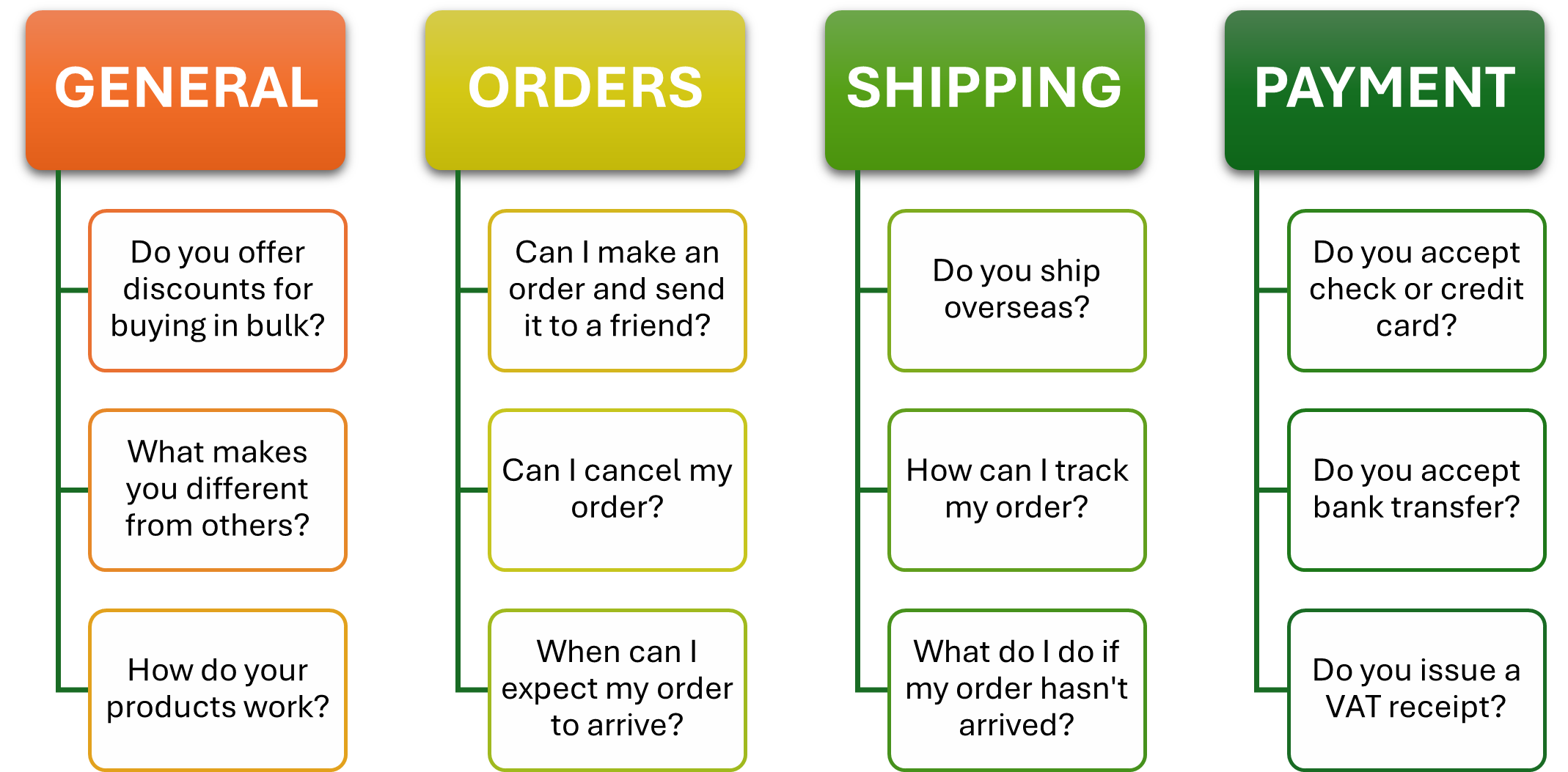
A dedicated FAQ page is the exception to this rule for obvious reasons, and even then, this isn’t necessarily better than a FAQ section. If you prefer this, you should make sure that it doesn’t serve to compensate for poor content on the website. Many sites are guilty of this, using the page to cover their content’s shortcomings.
Add or Update FAQs As Necessary
Life teaches us that nothing stays constant forever. Policies may affect existing payment options to the point that they’re more trouble to maintain than their worth. Demand may change to the point that offering bulk orders may be detrimental to the bottom line.
Such significant changes would require an update of your FAQ content. Whether it requires more questions or a change of answers (for better or worse), keeping it up to date is crucial for the consumer’s benefit.
If Not For SEO, Then For User Experience
It’s unfortunate that FAQ rich results went the way they did. Even if well-intentioned, it had several flaws that made it a medium for black-hat SEO techniques for a time.
However, traditional FAQs on websites are anything but dead. Even though they no longer appear as rich results, this type of content can still provide value to consumers. And with the right solutions, it may be worth mentioning by AI summaries.